SHRI SHIVAJI SCIENCE COLLEGE, AMRAVATI
DBT STAR COLLEGE PROJECT ACTIVITY
ACTIVITY REPORT
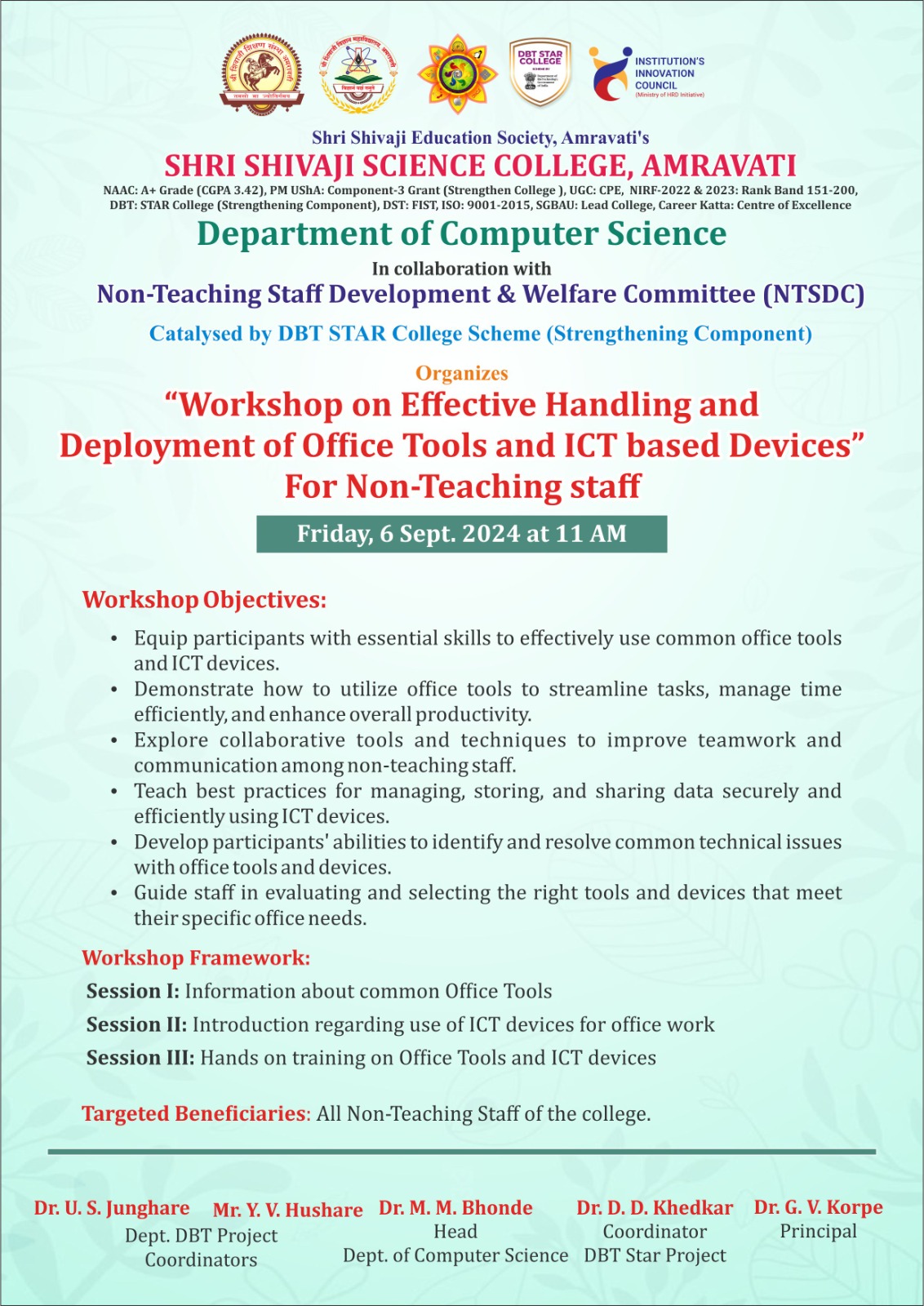
Workshop on Effective Handling and Deployment of Office Tools and ICT based Devices
Activity Dates: 06/09/2024
Type of Activity: Faculty Development Program
Organizing Department: Department of Computer Science
Program Coordinators: Mr. Y. V. Hushare and Dr. U. S. Junghare
Head of the Department: Dr. M. M. Bhonde
External Collaborator (if any): Non-Teaching Staff Development and Welfare Committee
Objectives:
- Equip participants with essential skills to effectively use common office tools and ICT devices.
- Demonstrate how to utilize office tools to streamline tasks, manage time efficiently, and enhance overall productivity.
- Explore collaborative tools and techniques to improve teamwork and communication among non-teaching staff.
- Teach best practices for managing, storing, and sharing data securely and efficiently using ICT devices.
- Develop participants’ abilities to identify and resolve common technical issues with office tools and devices.
No of Beneficieries: 50
Classes Involved: Non-Teaching Staff
Venue of the Activity: Sir C. V. Raman Hall, Shri Shivaji Science College, Amravati
Activity Report:
The Department of Computer Science at Shri Shivaji Science College, Amravati, organized a workshop aimed at enhancing the skills of non-teaching staff in utilizing office tools and ICT-based devices. This initiative was part of the ongoing efforts under the DBT Star College Project, focusing on professional development and welfare.
The primary aim of this workshop is to enhance the skills and efficiency of our nonteaching staff in utilizing various office tools and ICT devices effectively. With the increasing reliance on technology in administrative tasks, equipping our staff with the necessary skills will lead to improved productivity and communication within the college.
Objectives:
1. Equip participants with essential skills to effectively use common office tools and ICT devices.
2. Demonstrate how to utilize office tools to streamline tasks, manage time efficiently, and enhance overall productivity.
3. Explore collaborative tools and techniques to improve teamwork and communication among non-teaching staff.
4. Teach best practices for managing, storing, and sharing data securely and efficiently using ICT devices.
5. Develop participants’ abilities to identify and resolve common technical issues with office tools and devices.
6. Guide staff in evaluating and selecting the right tools and devices that meet their specific office needs.
Key Highlights of the Workshop
Inaugural Session:
Considering the need of todays’ era and the requirement of non-teaching staff members, the department of Computer Science has planned to organise a One-day workshop on “Effective Handling and Deployment of Office Tools and ICT based Devices” on 06-Sep-2024. The inaugural function was presided by Dr. G.V.Korpe, Principal , Shri Shivaji Science College, Amravati. Dr. M. M. Bhonde, Head, Department of Computer Science, Dr. D. D. Khedkar, college coordinator DBT Star Project, Dr. S.P Ingole, IQAC coordinator were present over the dais for this inaugural function. Around 50 non-teaching staff members were present for this workshop. The event was inaugurated at 11:00 AM with warm welcome by the host, who introduced the purpose of the workshop and acknowledged the efforts of the organizing committee.
In the introductory speech, Dr. M. M. Bhonde has addressed the audience, discussing the relevance of technology in today’s educational landscape. He underscored the need of non-teaching staff to be well-versed in modern office tools to support the academic mission of the institution. Dr. Bhonde has shared some success stories of improved workflows resulting more productivity by adopting the digital tools. He highlighted how the effective use of office automation and ICT tools can lead to increased productivity and enhanced communication for any academic organisation.
Dr. D. D. Khedkar then provided insights into the DBT Star College Project, explaining its role in strengthening faculty and staff capabilities. He expressed gratitude to the organizing committee for their efforts in making this workshop a reality and reiterated the commitment to enhancing skills that can lead to better administrative practices.
Dr. G.V. Korpe has delivered the presidential address, emphasizing the importance of continuous professional development for non-teaching staff. He encouraged all participants to actively engage in the workshop and make the most of the learning opportunities presented. He deliberately said that the institutional growth is directly depends on professional growth of an employees working there in.
Technical Sessions:
Session 1: Introduction to Office Tools
Presenter: Mr. Deepak Pohekar
Topics Covered:
• Overview of common office software (e.g., MS Office Suite, Google Workspace).
• Tips for effective document creation, data management, and presentation skills.
In the first session of the workshop, Mr. Deepak Pohekar introduced the participants to essential office tools widely used in both professional and educational settings. This session aimed to equip attendees with foundational knowledge of office software to enhance productivity in document creation, data management, and presentations. Here’s a breakdown of the session in detail:
1. Overview of Common Office Software:
Mr. Pohekar started by providing a comprehensive overview of the most widely used office tools in modern workplaces:
MS Office Suite:
1. Microsoft Word
2. Microsoft Excel
3. Microsoft PowerPoint
Google Workspace:
1. Google Docs
2. Google Sheets
3. Google Slides
4. Google Drive
In this section, Mr. Pohekar offered practical advice on how to create professional and well-organized documents:
1. Using Templates
2. Applying Styles
3. Collaboration Features
4. File Formats
Data Management:
Next, the focus shifted to effective data management using Excel and Google Sheets. Mr. Pohekar covered the following:
1. Data Organization
2. Basic Formulas
3. Sorting and Filtering
4. Conditional Formatting
5. Introduction to Pivot Tables
Additional Tips:
1. Keyboard Shortcuts
2. Version Control
Session 2: ICT Devices in the Office
Presenter: Mr. Pankaj Belasare
Topics Covered:
• Understanding various ICT devices (printers, scanners, projectors).
• Best practices for troubleshooting and maintenance.
In this session, Mr. Pankaj Belasare introduced participants to essential Information and Communication Technology (ICT) devices that are commonly found in modern offices. The goal was to provide a clear understanding of how these devices function, the role they play in day-to-day office operations, and how to troubleshoot and maintain them to ensure smooth functionality.
Understanding Various ICT Devices:
Mr. Belsare began the session by explaining the key ICT devices used in most offices. He discussed the role of each device in optimizing productivity and streamlining communication. Below is a detailed breakdown of the devices covered:
a) Printers
b) Scanners
c) Projectors
d) Other ICT Devices:
• Fax Machines: Although less common today, some industries still rely on fax for sending important documents securely.
• Document Cameras: Used to display physical documents or objects in real-time during meetings or classes.
• Interactive Whiteboards: Digital whiteboards that allow users to interact with the display, write, draw, and save content. These are becoming popular in offices for brainstorming sessions and meetings.
Best Practices for Troubleshooting and Maintenance:
In the second part of the session, Mr. Pankaj Belsare emphasized the importance of proper troubleshooting and regular maintenance of office ICT devices. He shared tips to help attendees avoid common problems and ensure the longevity of the devices.
a) Printers:
• Common Issues like, paper jams, low ink or toner and connectivity problems etc.
• Maintenance Tips
o Clean the printer heads regularly to avoid clogging.
o Use the printer's self-cleaning function if available.
o Keep the printer in a dust-free environment to prevent debris from getting inside.
b) Scanners:
• Common Issues like, Image quality problems, paper feeding issues
• Maintenance Tips:
o Clean the glass surface of flatbed scanners regularly to avoid streaks or dust particles appearing on scanned images.
o Check for software updates to ensure compatibility with newer operating systems or software versions.
c) Projectors:
• Common Issues like, Image distortion and connectivity issues
• Maintenance Tips:
o Replace projector bulbs when needed (usually after a certain number of hours of use).
o Keep the projector in a well-ventilated space to avoid overheating.
o Clean the filters and lens regularly to ensure image clarity.
Session 3: Hands-On Training:
• Practical sessions on using software tools and devices.
• Participants engaged in activities that reinforced learning.
Feedback and Question & Answer Session:
Session-1: The session concluded with an interactive QUESTION AND ANSWER, where participants raised questions about specific tools or issues they faced in their workplace or studies. Mr. Deepak Pohekar addressed queries about cloud storage, document recovery, and collaboration tips for remote teams.
Session-2:
Mr. Belsare concluded with an open QUESTION AND ANSWER session where participants asked specific questions about their office ICT setup. Common topics included advice on printer purchasing, choosing between projector models, and handling recurring connectivity issues with wireless devices. Mr. Belsare provided practical solutions tailored to individual needs.
• Participants shared their experiences and raised queries. The queries are also asked in mother tongue also to get clarify the concepts covered in sessions.
• Constructive feedback was collected for future workshops.
Summary:
The workshop is concluded with distribution of certificates to the participants at the hands of Dr. D. D. Khedkar, College Co-ordinator, DBT Star College Project (Strengthening Component) and Dr. M. M. Bhonde, Head, Department of Computer Science.
The workshop successfully met its objectives by strengthening non-teaching staff with the valuable skills to improve their work efficiency. The collaboration under the DBT Star College Project proved beneficial, fostering a culture of continuous learning and development within the college.
Dr. U. S. Junghare and Mr. Y. V. Hushare have played an important role as the department coordinators for this workshop organised under DBT Star Project. Mr. S. P. Waghmare have looked after all the technical requirements for this workshop. All teaching and non-teaching staff members of the Department of Computer Science have taken efforts to make this workshop successful. The One-Day workshop was concluded by extending the vote of thanks.
Outcomes:
- Proficient Use of Office Software: Participants will gain confidence in using essential software applications (e.g., Microsoft Office, Google Workspace) for various administrative tasks.
- ICT Device Familiarity: Staff will become adept at using common ICT devices (e.g., printers, scanners, tablets) relevant to their daily operations.
- Improved Administrative Processes: Techniques for organizing and managing data more effectively will streamline administrative workflows.
- Time-Saving Strategies: Participants will learn shortcuts and features that help reduce time spent on routine tasks, enhancing overall productivity.
- Best Practices for Device Management: Guidance on maintaining and managing ICT devices will help staff troubleshoot problems independently.
Photos:
 Live ssession of Workshop on Effective Handling and Deployment of Office Tools and ICT based Devices | 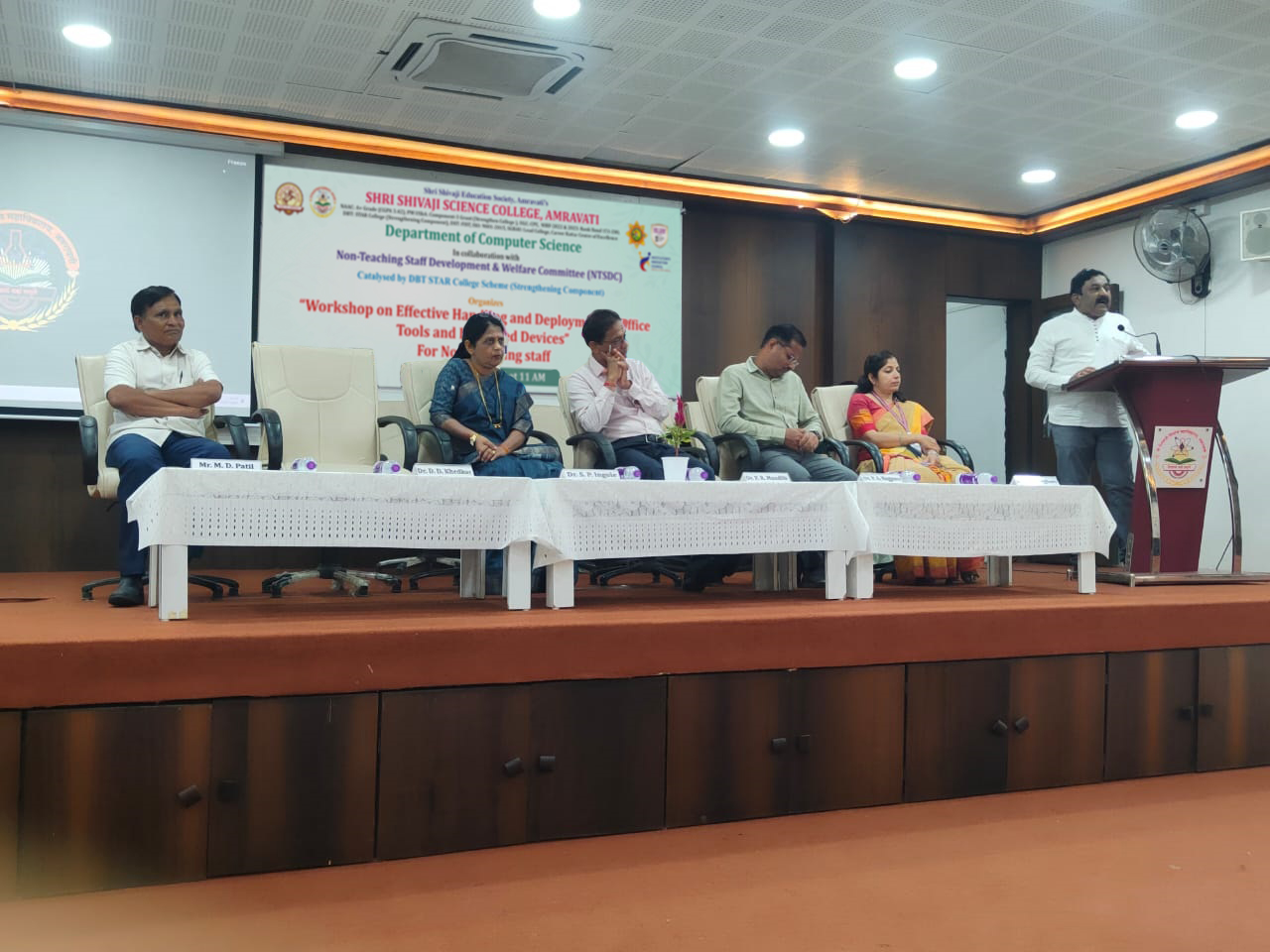 Inaugration of Workshop on Effective Handling and Deployment of Office Tools and ICT based Devices |
 Resource Person conducting session on Workshop on Effective Handling and Deployment of Office Tools and ICT based Devices | 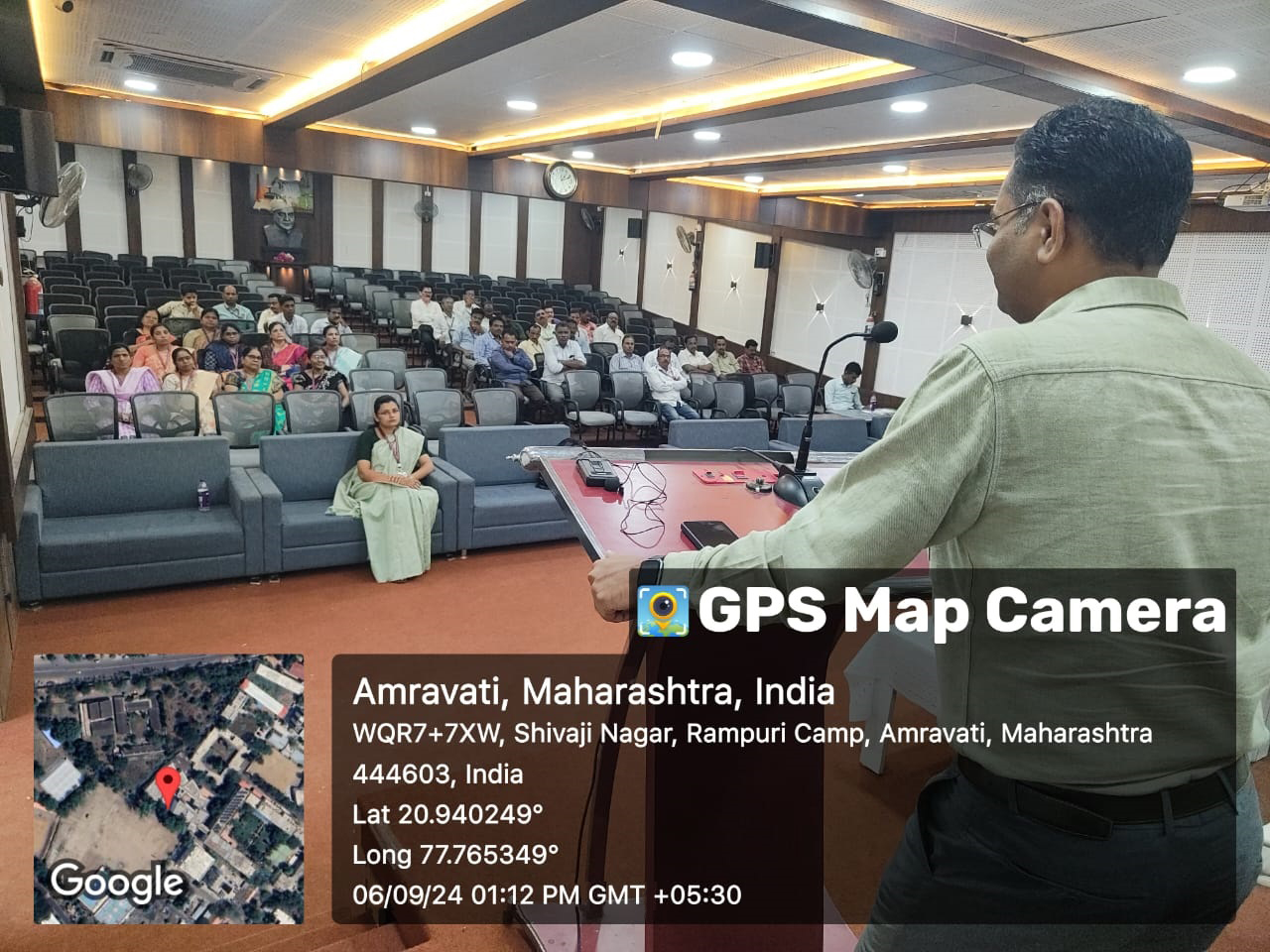 Resource Person delivering session on Workshop on Effective Handling and Deployment of Office Tools and ICT based Devices |
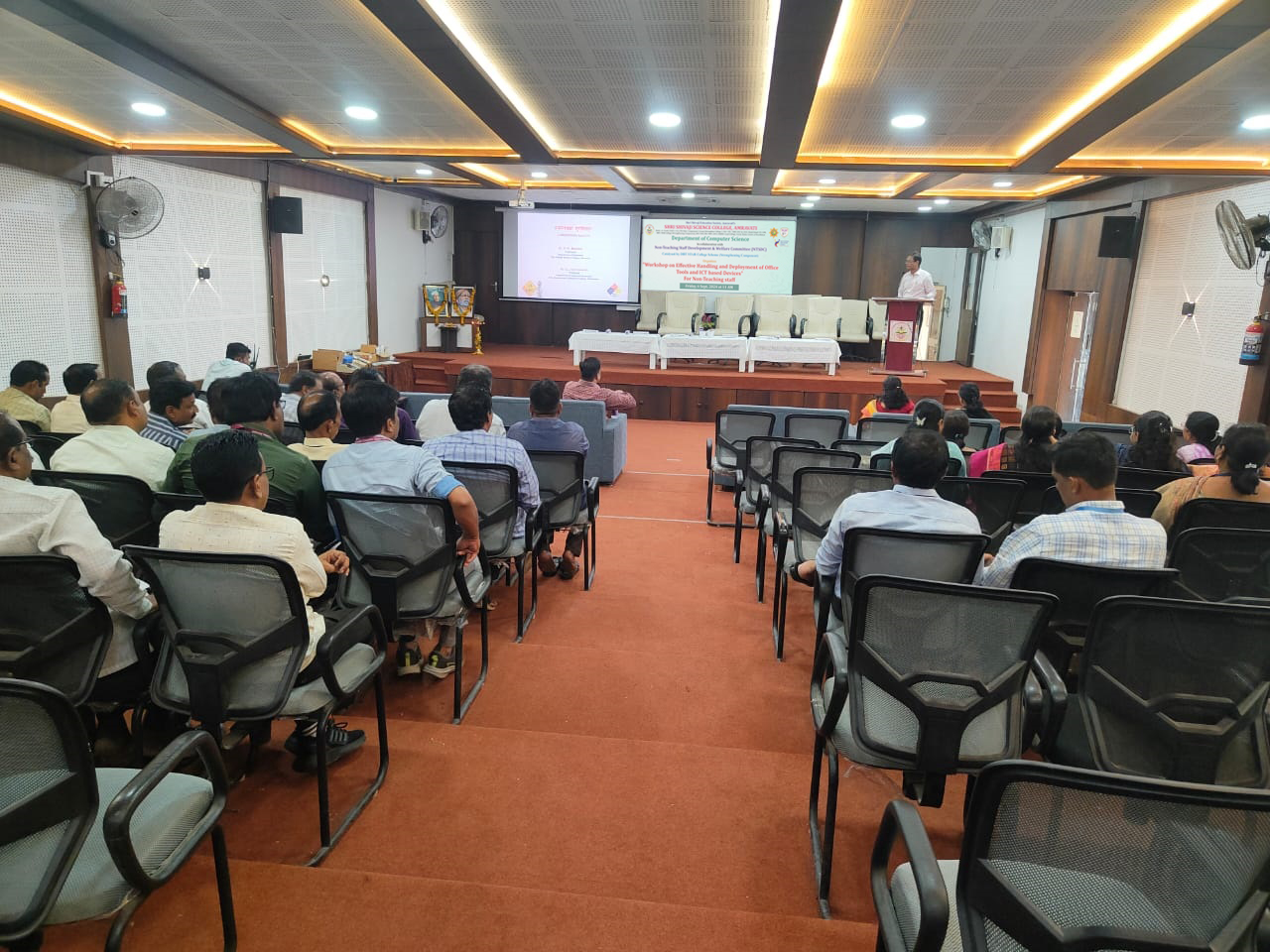 Resource Person conducting session on Workshop on Effective Handling and Deployment of Office Tools and ICT based1 Devices | 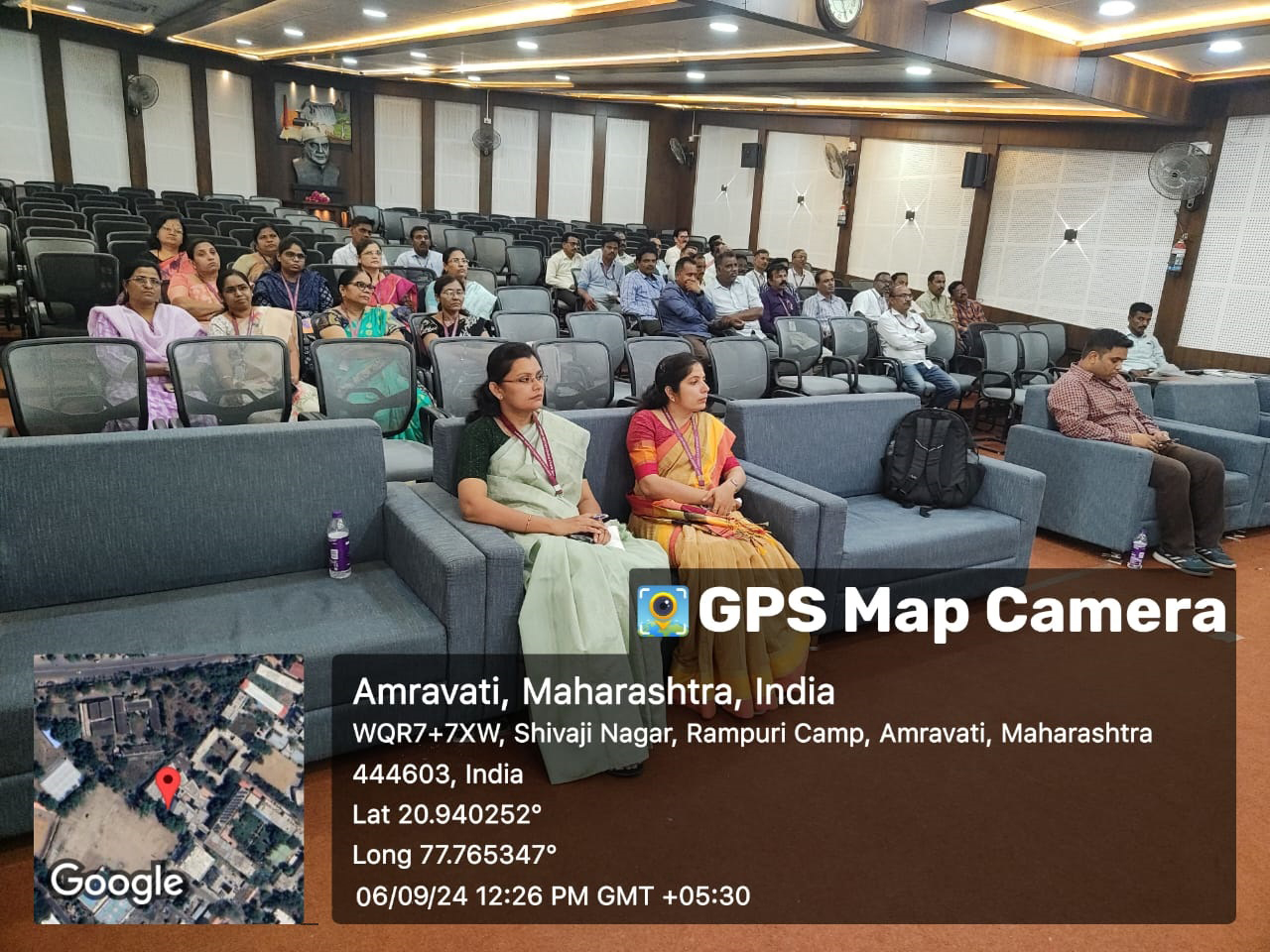 Active participation of non teaching staff in the Workshop on Effective Handling and Deployment of Office Tools and ICT based Devices |
Attendance Sheet:
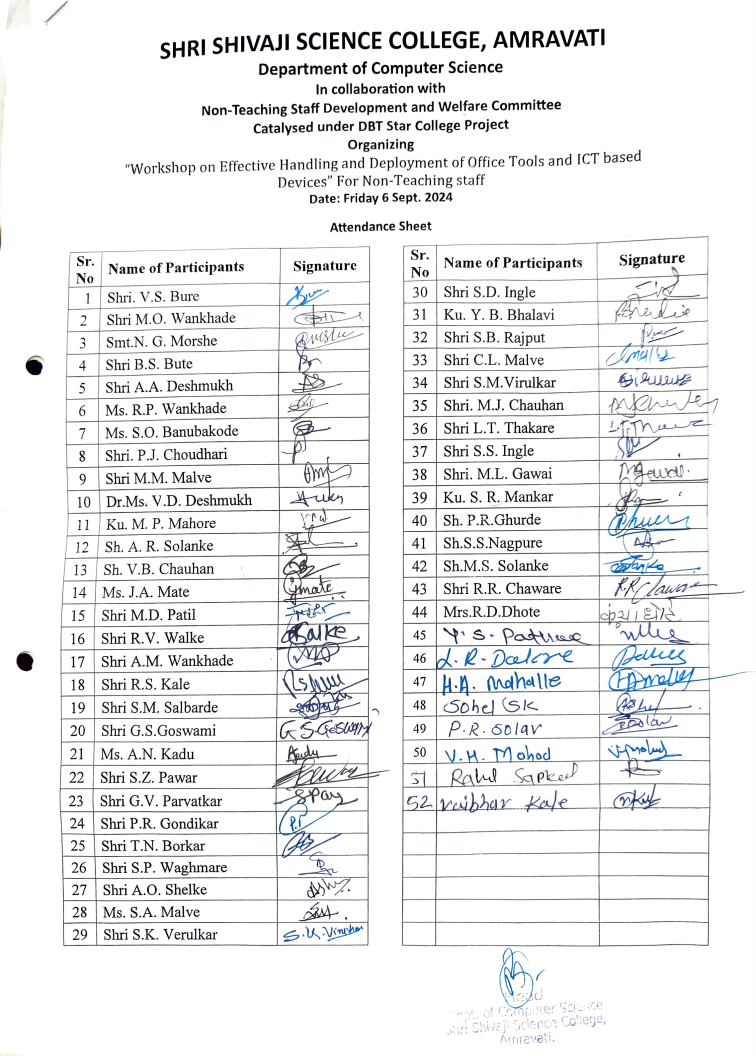 |